Someone Made a Fake Profile Using Your Photos: What to Do
Finding a fake profile using your photos is unsettling. Someone may be pretending to be you to message your friends, run a romance scam with your pictures, or harass you. The good news is that the major platforms prohibit impersonation, and you have several ways to get a fake account taken down.
The short answer: save the evidence first, then report the account as impersonation to the platform, using its non-user form if you don’t have an account. Warn your contacts. If the photos are intimate, real or AI-generated, a federal law now requires covered platforms to remove them within 48 hours of a valid request.
Key takeaways
- Save the profile link, username, and screenshots before you report. The profile may disappear once it’s reported.
- Report it as impersonation, not just “fake.” Facebook, Instagram, and X all prohibit accounts that pretend to be someone else.
- You don’t always need an account to report. Facebook has a form for non-users, and X says no account is needed.
- If the images are intimate, real or AI-generated, covered platforms must remove them within 48 hours of a valid request under the TAKE IT DOWN Act.
- Warn friends and family so they don’t answer messages or send money to the fake profile.
Step 1: Save the evidence before you report
Once you report a fake profile, it may be removed quickly, or the person running it may delete it and start another. Either way, your record disappears with it. Before you report, save:
- The profile link (URL) and username. The display name can change; the link and handle are more useful to the platform and to police.
- Screenshots of the profile, including the photos it uses, the bio, and the date and time you took them.
- Messages the account sent, to you or to people you know. Ask friends to screenshot anything they received.
- Your original photos, or where they were first posted, to show they’re yours.
Don’t message the account or threaten it. Our guide to preserving evidence of online fraud and our digital evidence checklist cover how to keep a clean record.
Step 2: Report it to the platform as impersonation
Report the account specifically as impersonation, pretending to be you, rather than as spam or a generic fake account. Impersonation is a clear policy violation on the major platforms.
| Platform | How to report | No account? |
|---|---|---|
| Go to the profile, select Report, and follow the impersonation steps. Facebook says accounts that impersonate other people aren’t allowed. | Facebook offers a form for people without an account. | |
| Report the profile from its menu. Instagram says impersonation goes against its Community Guidelines. | See Instagram’s impersonation help page for its current options. | |
| X | You or an authorized representative can file an impersonation report in X’s Help Center. | X says you don’t need an account to report impersonation. |
| Other platforms | Look for a report option on the profile and an impersonation page in the help center. | Many offer a separate web form; check the help center. |
Sources: Facebook Help Center, Instagram Help Center, X Help Center. Some platforms ask the impersonated person to confirm their identity, so be ready to provide it through the platform’s official form only.
Write down the date of each report and any confirmation or case number. If the platform rejects the report, you can usually report again with more detail, such as screenshots showing the account contacting people you know.
Step 3: Warn the people who might be contacted
Fake profiles often send friend requests to the real person’s contacts, then ask for money, gift cards, or login codes. A short post on your real account, or a message to close contacts, can stop that: tell them a fake account is using your photos, that you won’t ask for money through messages, and to report the account rather than reply.
If someone has already sent money to the fake account, they should contact their bank or payment app right away and report it to the FTC at ReportFraud.ftc.gov. Our guide on what to do when a bank denies a scam reimbursement request explains the next steps.
What platforms can and can’t remove
A report doesn’t guarantee removal. Each platform applies its own rules, and how strong your request is depends on what the profile is doing with your photos.
Impersonation
If the account is pretending to be you, using your name, your photos, or both, it falls under impersonation policies on Facebook, Instagram, and X. This is usually the strongest and simplest route.
Copyright, if you took the photos
If the account is using your photos without pretending to be you, for example a scam account using your pictures under another name, copyright may help. Copyright protection begins the moment a work is created (U.S. Copyright Office), and it initially belongs to the author who created it (U.S. Copyright Office, Circular 1). So for a selfie you took, you generally own the copyright and can file a copyright report through the platform’s copyright form.
If someone else took the photo, such as a friend or a professional photographer, they generally hold the copyright, not you. In that case, the impersonation route, or a request from the photographer, is usually the better path.
Intimate images, real or AI-generated
If the fake profile shares intimate images of you without your consent, the rules are stronger. Under the federal TAKE IT DOWN Act, which the FTC began enforcing on May 19, 2026, covered platforms must remove the images, and known identical copies, within 48 hours of a valid request (FTC). The law covers real images, digitally altered images, and AI-generated deepfakes (FTC).
- Request removal through the platform’s removal process.
- If the platform doesn’t act within 48 hours, or has no removal process, report it to the FTC at TakeItDown.ftc.gov.
- Adults with a copy of the image can use StopNCII.org, a free tool run by the nonprofit Revenge Porn Helpline, according to the FTC.
- If the image shows someone under 18, use the National Center for Missing & Exploited Children’s Take It Down service.
- Report the person who shared it to local police and to the FBI at tips.fbi.gov. If someone is threatening to share images unless you pay, the FTC advises not paying, not sending more images or account access, and blocking the person (FTC).
When a fake profile may be a crime
Whether a fake profile breaks the law depends on your state and on what the person is doing with it. California is one example: its Penal Code § 528.5 makes it a crime to knowingly and without consent credibly impersonate another actual person online “for purposes of harming, intimidating, threatening, or defrauding another person.” It also lets a person who suffers damage or loss sue for compensatory damages and a court order (Cal. Penal Code § 528.5). Other states have different laws, or none specific to online impersonation.
If the fake profile is being used to threaten you, harass you, extort you, or defraud others, report it to local police and bring your saved evidence. A police report can also help when a platform is slow to act. This guide is general information; for advice about your situation, talk to a lawyer licensed in your state.
How to limit further harm
- Search for other copies. A reverse image search of your profile photo can show where else it appears. The FTC suggests the same check for spotting romance scammers, who often use other people’s pictures (FTC).
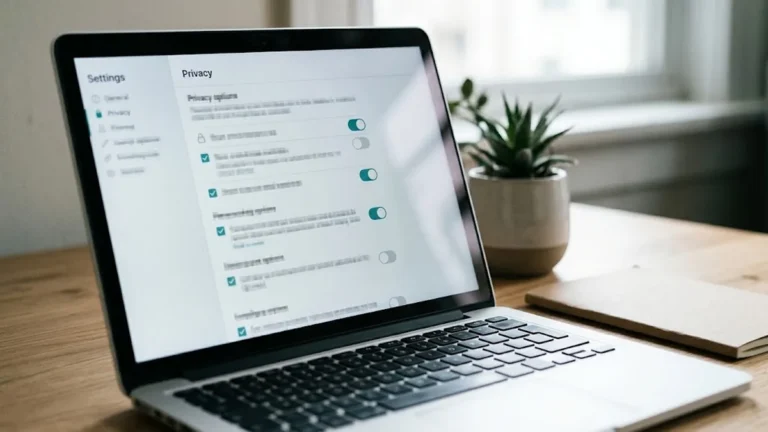
- Tighten your privacy settings. Limit who can see your photos and friends list, which makes it harder to copy your profile and contact your network.
- Make sure it isn’t your own account. If the “fake” profile is actually your real account and you can’t log in, it may be a hacked account, which needs a different recovery process.
- Reduce what’s available about you. If the fake profile uses your address, phone number, or other details, our guide to tracking data removal requests covers asking data brokers to delete them.
- Protect your credit if more was exposed. If the impersonator has your Social Security number or financial details, consider a credit freeze or fraud alert.
Frequently asked questions
Can I get a fake profile using my photos taken down?
Often, yes. Facebook, Instagram, and X all prohibit impersonation. Report the account as impersonation and include evidence that it’s using your photos or name. Removal isn’t guaranteed, but impersonation is a clear policy violation.
Do I need an account to report a fake profile?
Not always. Facebook offers a form for people without an account, and X says you don’t need an account to report impersonation. Check the platform’s help center for its non-user options.
What if the fake account uses my photos but a different name?
If you took the photos, you generally own the copyright and can file a copyright report. You can also report it as a fake or scam account.
Is it illegal to make a fake profile with someone’s photos?
It depends on your state and on what the profile is used for. California, for example, makes credible online impersonation a crime when it’s done to harm, intimidate, threaten, or defraud. Sharing intimate images without consent is a federal crime.
What if the fake profile shares intimate or AI-generated images of me?
Request removal from the platform. Under the TAKE IT DOWN Act, covered platforms must remove them within 48 hours of a valid request. If they don’t, report the platform at TakeItDown.ftc.gov.
Sources
- Facebook Help Center, Report a Facebook profile pretending to be you
- Instagram Help Center, Impersonation on Instagram
- X Help Center, Report impersonation accounts
- Federal Trade Commission, FTC Begins Enforcing the TAKE IT DOWN Act (May 2026)
- Federal Trade Commission, What will the FTC’s enforcement of the TAKE IT DOWN Act mean for you?
- Federal Trade Commission, Image-Based Abuse: What To Know and Do
- Federal Trade Commission, What To Know About Romance Scams
- U.S. Copyright Office, Frequently Asked Questions
- U.S. Copyright Office, Circular 1: Copyright Basics
- California Penal Code § 528.5 (via Justia)
This guide is general information, not legal advice. Read how we research and update our guides in our Editorial Standards, and see our Corrections Policy to report an error. More coverage: Privacy Rights.
The Cyber Law Brief
Get practical guides like this in your inbox
Weekly reporting. No noise. Unsubscribe anytime. Privacy Policy.